Dialog
This part of the runtime provides access to native dialogs, such as File Selectors and Message boxes.
Dialog is currently unsupported in the JS runtime.
OpenDirectoryDialog
Opens a dialog that prompts the user to select a directory. Can be customised using OpenDialogOptions.
Go: OpenDirectoryDialog(ctx context.Context, dialogOptions OpenDialogOptions) (string, error)
Returns: Selected directory (blank if the user cancelled) or an error
OpenFileDialog
Opens a dialog that prompts the user to select a file. Can be customised using OpenDialogOptions.
Go: OpenFileDialog(ctx context.Context, dialogOptions OpenDialogOptions) (string, error)
Returns: Selected file (blank if the user cancelled) or an error
OpenMultipleFilesDialog
Opens a dialog that prompts the user to select multiple files. Can be customised using OpenDialogOptions.
Go: OpenMultipleFilesDialog(ctx context.Context, dialogOptions OpenDialogOptions) ([]string, error)
Returns: Selected files (nil if the user cancelled) or an error
SaveFileDialog
Opens a dialog that prompts the user to select a filename for the purposes of saving. Can be customised using SaveDialogOptions.
Go: SaveFileDialog(ctx context.Context, dialogOptions SaveDialogOptions) (string, error)
Returns: The selected file (blank if the user cancelled) or an error
MessageDialog
Displays a message using a message dialog. Can be customised using MessageDialogOptions.
Go: MessageDialog(ctx context.Context, dialogOptions MessageDialogOptions) (string, error)
Returns: The text of the selected button or an error
Options
OpenDialogOptions
type OpenDialogOptions struct {
	DefaultDirectory           string
	DefaultFilename            string
	Title                      string
	Filters                    []FileFilter
	ShowHiddenFiles            bool
	CanCreateDirectories       bool
	ResolvesAliases            bool
	TreatPackagesAsDirectories bool
}
| Field | Description | Win | Mac | Lin |
|---|---|---|---|---|
| DefaultDirectory | The directory the dialog will show when opened | ✅ | ✅ | ✅ |
| DefaultFilename | The default filename | ✅ | ✅ | ✅ |
| Title | Title for the dialog | ✅ | ✅ | ✅ |
| Filters | A list of file filters | ✅ | ✅ | ✅ |
| ShowHiddenFiles | Show files hidden by the system | ✅ | ✅ | |
| CanCreateDirectories | Allow user to create directories | ✅ | ||
| ResolvesAliases | If true, returns the file not the alias | ✅ | ||
| TreatPackagesAsDirectories | Allow navigating into packages | ✅ |
SaveDialogOptions
type SaveDialogOptions struct {
	DefaultDirectory           string
	DefaultFilename            string
	Title                      string
	Filters                    []FileFilter
	ShowHiddenFiles            bool
	CanCreateDirectories       bool
	TreatPackagesAsDirectories bool
}
| Field | Description | Win | Mac | Lin |
|---|---|---|---|---|
| DefaultDirectory | The directory the dialog will show when opened | ✅ | ✅ | ✅ |
| DefaultFilename | The default filename | ✅ | ✅ | ✅ |
| Title | Title for the dialog | ✅ | ✅ | ✅ |
| Filters | A list of file filters | ✅ | ✅ | ✅ |
| ShowHiddenFiles | Show files hidden by the system | ✅ | ✅ | |
| CanCreateDirectories | Allow user to create directories | ✅ | ||
| TreatPackagesAsDirectories | Allow navigating into packages | ✅ |
MessageDialogOptions
type MessageDialogOptions struct {
	Type          DialogType
	Title         string
	Message       string
	Buttons       []string
	DefaultButton string
	CancelButton  string
}
| Field | Description | Win | Mac | Lin |
|---|---|---|---|---|
| Type | The type of message dialog, eg question, info... | ✅ | ✅ | ✅ |
| Title | Title for the dialog | ✅ | ✅ | ✅ |
| Message | The message to show the user | ✅ | ✅ | ✅ |
| Buttons | A list of button titles | ✅ | ||
| DefaultButton | The button with this text should be treated as default. Bound to return. | ✅* | ✅ | |
| CancelButton | The button with this text should be treated as cancel. Bound to escape | ✅ |
Windows
Windows has standard dialog types in which the buttons are not customisable. The value returned will be one of: "Ok", "Cancel", "Abort", "Retry", "Ignore", "Yes", "No", "Try Again" or "Continue".
For Question dialogs, the default button is "Yes" and the cancel button is "No".
This can be changed by setting the DefaultButton value to "No".
Example:
	result, err := runtime.MessageDialog(a.ctx, runtime.MessageDialogOptions{
		Type:          runtime.QuestionDialog,
		Title:         "Question",
		Message:       "Do you want to continue?",
		DefaultButton: "No",
	})
Linux
Linux has standard dialog types in which the buttons are not customisable. The value returned will be one of: "Ok", "Cancel", "Yes", "No"
Mac
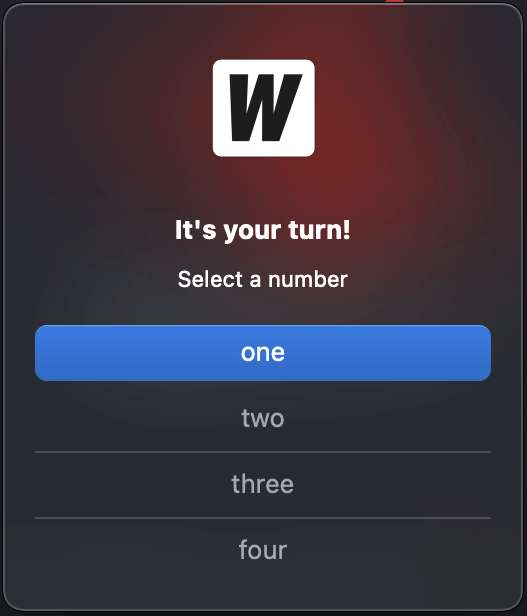
A message dialog on Mac may specify up to 4 buttons. If no DefaultButton or CancelButton is given, the first button
is considered default and is bound to the return key.
For the following code:
selection, err := runtime.MessageDialog(b.ctx, runtime.MessageDialogOptions{
    Title:        "It's your turn!",
    Message:      "Select a number",
    Buttons:      []string{"one", "two", "three", "four"},
})
the first button is shown as default:
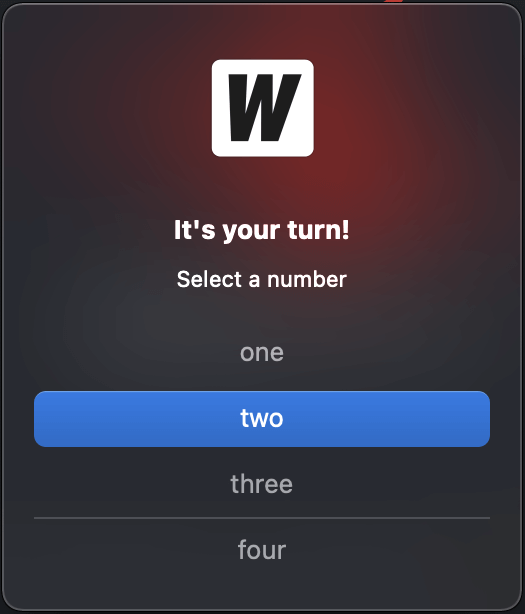
And if we specify DefaultButton to be "two":
selection, err := runtime.MessageDialog(b.ctx, runtime.MessageDialogOptions{
    Title:         "It's your turn!",
    Message:       "Select a number",
    Buttons:       []string{"one", "two", "three", "four"},
    DefaultButton: "two",
})
the second button is shown as default. When return is pressed, the value "two" is returned.
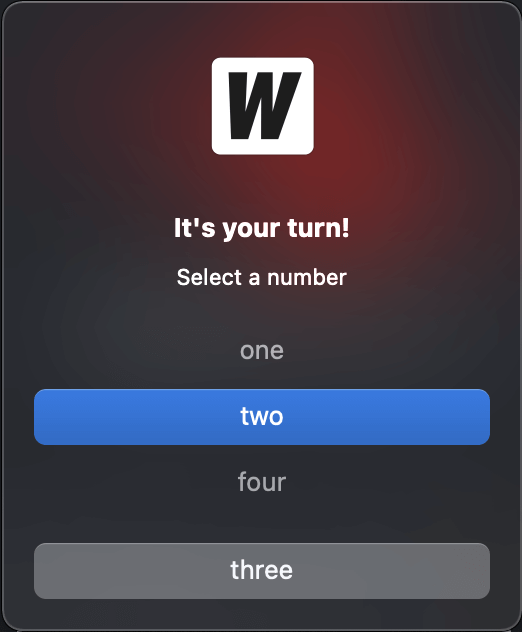
If we now specify CancelButton to be "three":
selection, err := runtime.MessageDialog(b.ctx, runtime.MessageDialogOptions{
    Title:         "It's your turn!",
    Message:       "Select a number",
    Buttons:       []string{"one", "two", "three", "four"},
    DefaultButton: "two",
    CancelButton:  "three",
})
the button with "three" is shown at the bottom of the dialog. When escape is pressed, the value "three" is returned:
DialogType
const (
     	InfoDialog     DialogType = "info"
     	WarningDialog  DialogType = "warning"
     	ErrorDialog    DialogType = "error"
     	QuestionDialog DialogType = "question"
     )
FileFilter
type FileFilter struct {
	DisplayName string // Filter information EG: "Image Files (*.jpg, *.png)"
	Pattern     string // semi-colon separated list of extensions, EG: "*.jpg;*.png"
}
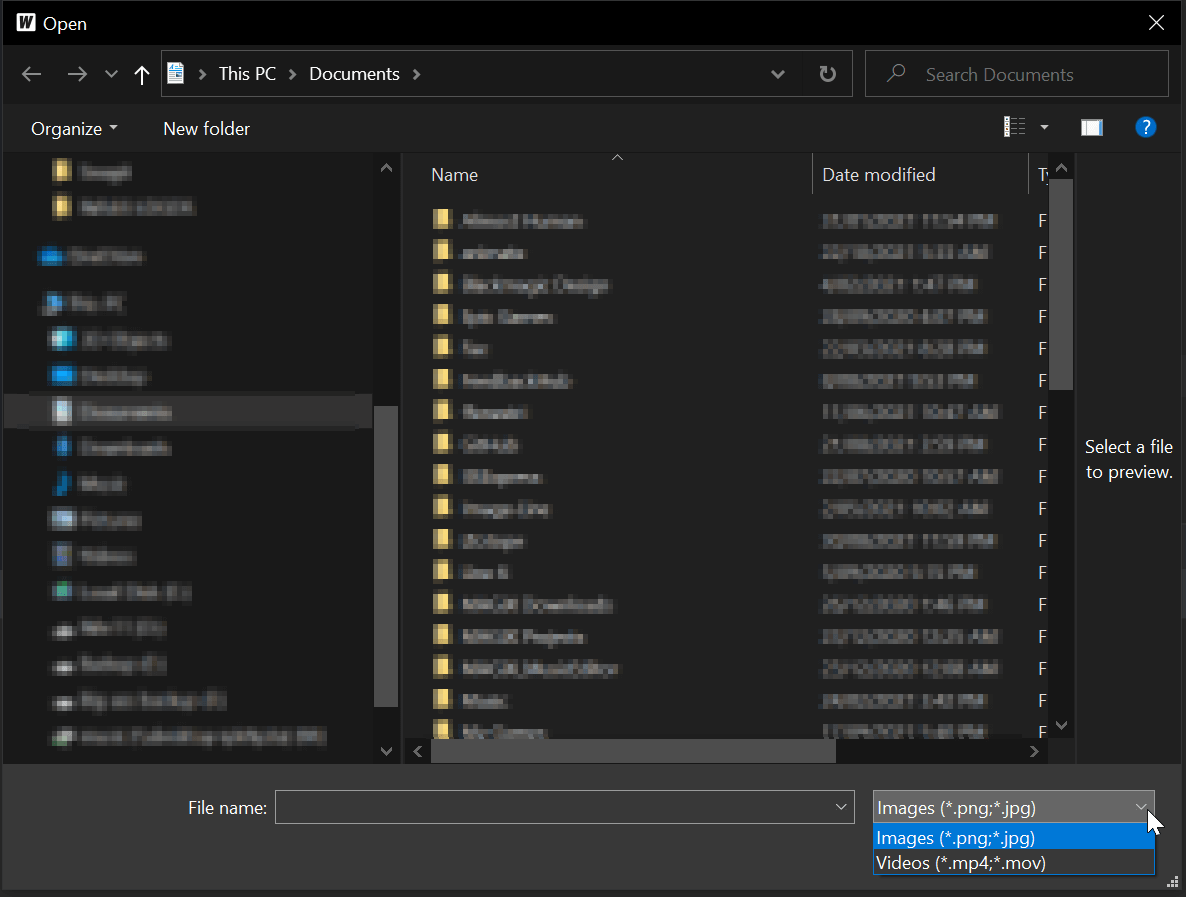
Windows
Windows allows you to use multiple file filters in dialog boxes. Each FileFilter will show up as a separate entry in the dialog:
Linux
Linux allows you to use multiple file filters in dialog boxes. Each FileFilter will show up as a separate entry in the dialog:

Mac
Mac dialogs only have the concept of a single set of patterns to filter files. If multiple FileFilters are provided, Wails will use all the Patterns defined.
Example:
	selection, err := runtime.OpenFileDialog(b.ctx, runtime.OpenDialogOptions{
		Title: "Select File",
		Filters: []runtime.FileFilter{
			{
				DisplayName: "Images (*.png;*.jpg)",
				Pattern:     "*.png;*.jpg",
			}, {
				DisplayName: "Videos (*.mov;*.mp4)",
				Pattern:     "*.mov;*.mp4",
			},
		},
	})
This will result in the Open File dialog using *.png,*.jpg,*.mov,*.mp4 as a filter.